Framecast vs Camtasia
Camtasia offers a broad set of screen recording and video-editing tools. Framecast is a native Mac app for making a clear walkthrough from your clicks and narration. Choose around the work you need to finish.
Free to record and edit · A license is needed to export and share · macOS 14 or later
Where Camtasia fits
Camtasia's current product range includes timeline editing, templates and screen-recording tools. Its wider suite also offers text-based editing through Audiate. Check which plan includes the tools you need, since a suite feature may have different terms from the core editor. Explore Camtasia's current offering.
Where Framecast fits
Framecast adds zooms as you click and type. You can change the cursor, set camera layouts and edit through the transcript. Captions and private-information detection run on your Mac. Review suggested blurs and watch the whole video before sharing it.
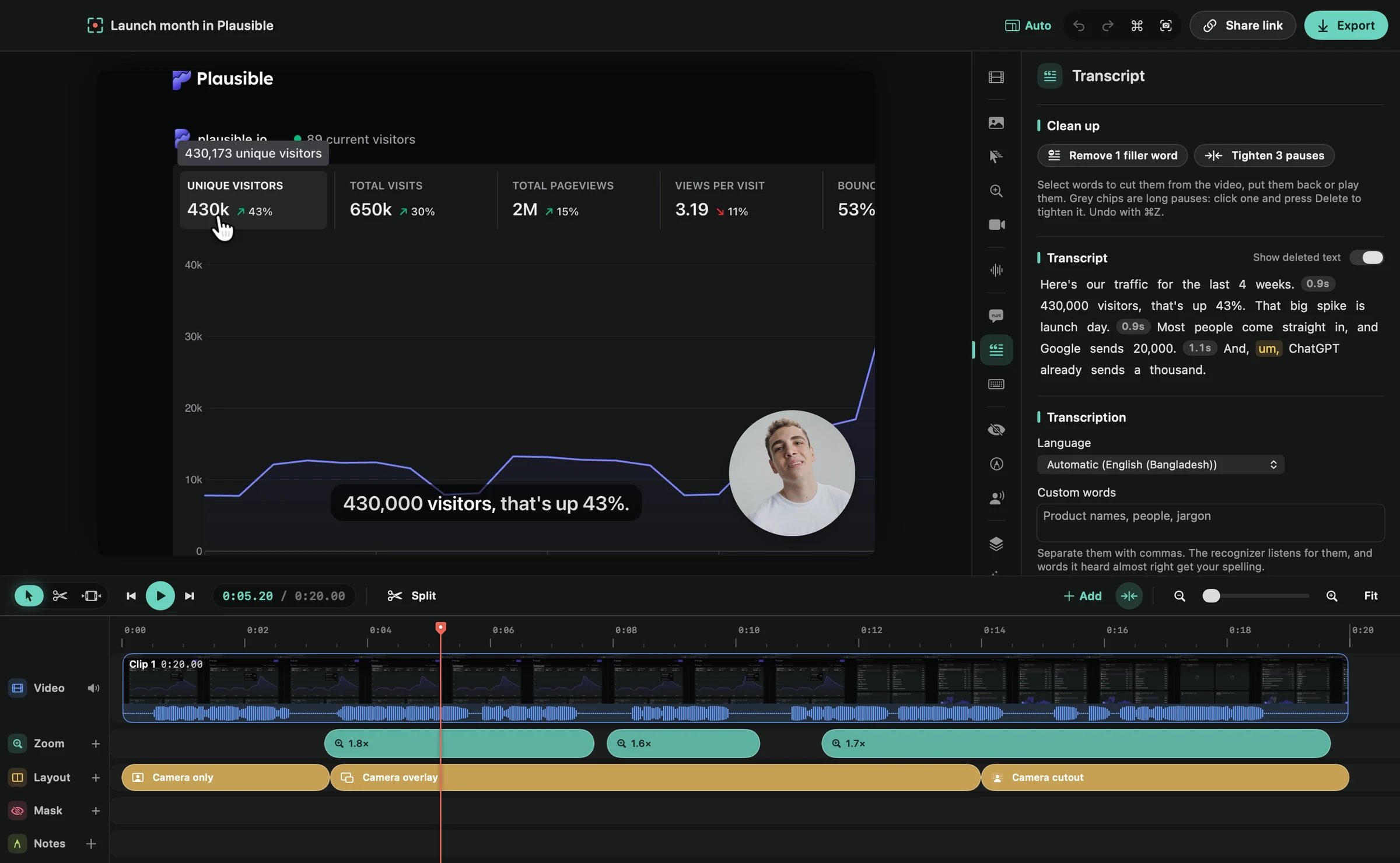
If you record a short product demo, try that exact task before committing to a larger workflow. Check how quickly you can fix a spoken mistake and draw attention to a small control.
Platform and editing features
| Feature | Framecast | Camtasia |
|---|---|---|
| Platform | Native Mac app; macOS 14 or later | Windows and macOS |
| Editing style | Automatic zooms, transcript cuts and camera layouts | Timeline editing with templates, zooms and callouts |
| Text-based editing | Cut spoken mistakes through the transcript | Text-based editing powered by Audiate, on the Essentials, Create and Pro plans |
| Cursor | Cursor adjustments and smoothing | Cursor effects |
| Free trial | Record and edit free; export and sharing need a license | Free editor with all features; exports are watermarked |
| Payment terms | Recording and editing are free; export and sharing need a one-time license or a monthly plan | Plans billed yearly |
Framecast is free to record and edit. A license enables export and sharing, with one-time and monthly options. See current pricing. Check Camtasia's own plans for the product and features you intend to use.
Try before you move a workflow
Record a real task and compare the finished output. Download Framecast or see how transcript editing works.
Sources: vendor documentation, Camtasia: product page, Camtasia: store, read October 20, 2026. Framecast details from framecast.pro, pricing and the guide. We haven't run timed tests of either app; check each vendor's current terms before you decide.