Framecast vs CleanShot X
CleanShot X covers screenshots as well as video recording. Framecast focuses on screen videos, from capturing a walkthrough to editing and sharing it. If you take more screenshots than videos, that difference matters.
Free to record and edit · A license is needed to export and share · macOS 14 or later
What CleanShot X brings
CleanShot offers scrolling screenshots, annotations, text recognition and cloud sharing. It also records video and GIFs. Its current video editor includes smart zooms, cursor adjustments and backgrounds. This is not a comparison between an editor and a basic recorder: both products can polish a video. Explore CleanShot's features.
Why try Framecast?
Framecast plans zooms around clicks and typing. The editor lets you change the camera layout, add captions and cut words from the transcript. If you need to hide private information, its on-device detection can help find areas to blur. Watch the result before sharing.
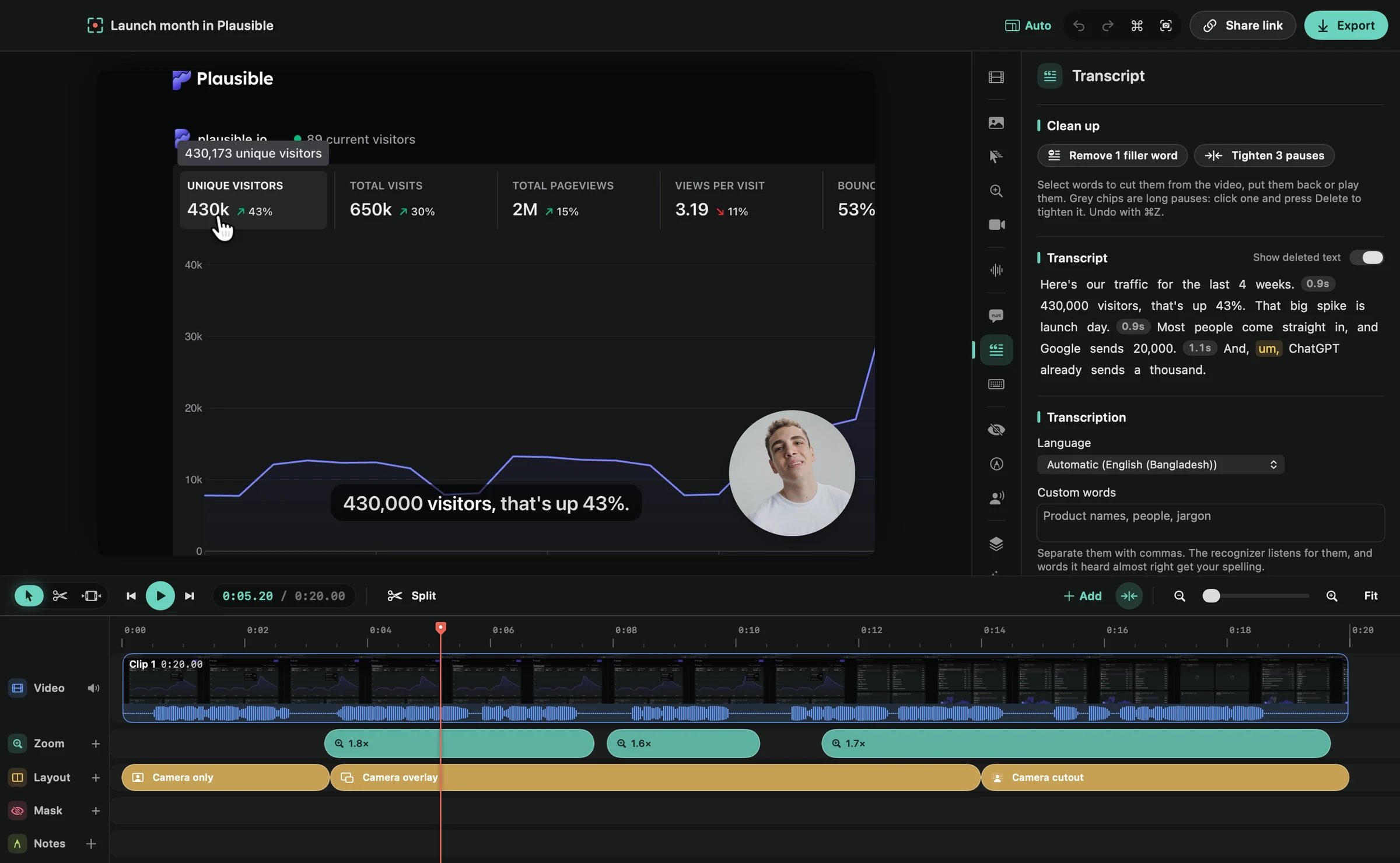
A useful trial is a software tutorial with a few small controls and some spoken steps. Check the framing, the clarity of the cursor and how much editing you need after recording.
Features both apps advertise
| Feature | Framecast | CleanShot X |
|---|---|---|
| Platform | Native Mac app; macOS 14 or later | Mac app; macOS 13.0 or later |
| Automatic zoom | Zooms around clicks and typing | Smart zooms that follow the cursor, in its video editor |
| Cursor controls | Cursor adjustments and smoothing | Smooth cursor movement; size, style and click effects |
| Sharing | File export and share links | Upload to CleanShot Cloud and get a share link |
| Payment terms | Recording and editing are free; export and sharing need a one-time license or a monthly plan | One-time Basic license with a year of updates, or a Pro subscription |
Framecast's free trial includes recording and editing. A license is needed to export or share. A one-time license and an optional monthly plan are available. See current pricing. Check CleanShot's own plans for its current terms rather than comparing an old price.
Before you switch
Keep a list of the screenshot tools you use each day. Trying Framecast for videos does not require replacing a screenshot app that already works for you. Download Framecast and see automatic zoom in a real recording.
Sources: vendor documentation, CleanShot X: features, CleanShot X: pricing, read October 20, 2026. Framecast details from framecast.pro, pricing and the guide. We haven't run timed tests of either app; check each vendor's current terms before you decide.