Framecast vs Loom
Loom is built around recording a message and sharing it with other people. Framecast is a native Mac recorder for turning a walkthrough into a finished demo. Start with the job you need the video to do.
Free to record and edit · A license is needed to export and share · macOS 14 or later
When Loom fits
Loom offers a Mac recorder and a sharing workflow. It makes sense when a video is part of a conversation: explain a task, send the link and let someone watch when they have time. If your team already works in Loom, keeping those videos together may matter more than changing how a single recording looks. See Loom's Mac recorder.
When Framecast fits
Framecast adds zooms around your clicks and typing. You can adjust the cursor, edit through the transcript and add captions on your Mac. It can also find private information and blur it. Review every recording before sharing, since automatic detection can miss things.
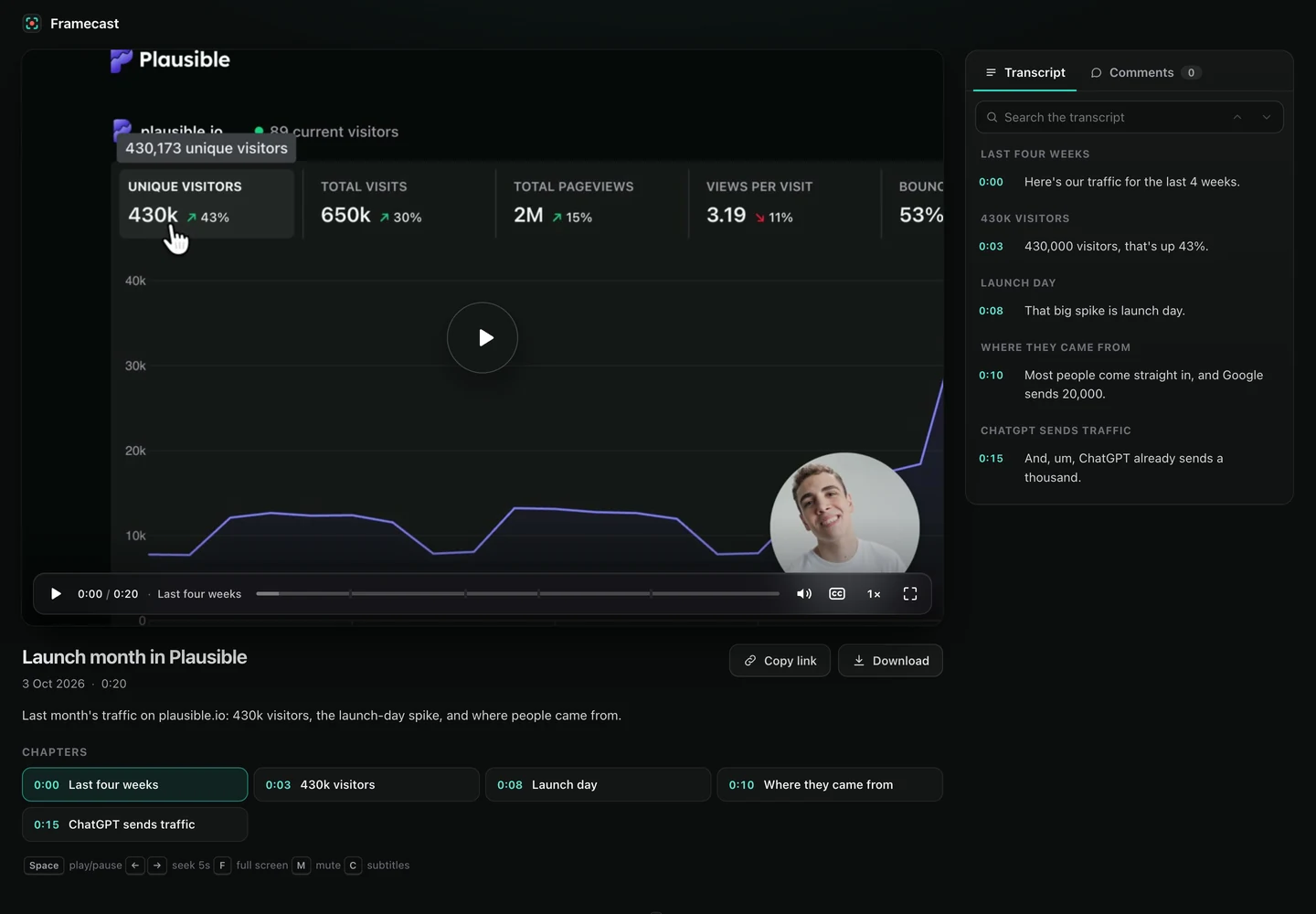
For a product launch or a customer tutorial, try the same short walkthrough in Framecast. Check whether the zooms make small controls easier to follow. Then trim the pauses and choose a layout for the screen and camera.
Sharing and payment
Framecast can export a file or create a share link with a transcript and comments. Its record-and-edit trial is free; export and sharing need a license. A one-time license and a monthly option are available. Check current pricing.
Features side by side
| Feature | Framecast | Loom |
|---|---|---|
| Platform | Native Mac app; macOS 14 or later | Mac, Windows, iOS and Android |
| Transcript editing | Cut spoken mistakes through the transcript | AI and transcript editing on the Business + AI and Enterprise plans |
| Sharing | File export and share links with a transcript and comments | Share links; uploads and downloads on paid plans |
| Payment terms | Recording and editing are free; export and sharing need a one-time license or a monthly plan | Free Starter plan (25 videos per person, up to 5 minutes, up to 720p); paid plans per user |
Try a real task
Record a support answer and a product walkthrough. Judge how long each takes to finish and how easy it is to share. Download Framecast. For switching steps, see our Loom alternative guide.
Sources: vendor documentation, Loom: Mac screen recorder, Loom: pricing, read October 20, 2026. Framecast details from framecast.pro, pricing and the guide. We haven't run timed tests of either app; check each vendor's current terms before you decide.