Framecast vs Screen Charm
Screen Charm and Framecast both serve people who want a polished Mac screen recording. Picking between them is easier when you use your own demo as the test, rather than counting the number of features on a landing page.
Free to record and edit · A license is needed to export and share · macOS 14 or later
What to check in Screen Charm
Screen Charm is a Mac screen recorder with automatic click-based zooms, cursor smoothing, camera layouts, captions, 4K export and shareable links. Several of those features overlap with Framecast, so automatic zoom alone is not a reason to switch. Compare the editing and sharing steps for a real demo. Visit Screen Charm.
What to check in Framecast
Framecast adds zooms around clicks and typing, smooths the cursor and lets you edit camera layouts. Its transcript editor can help remove spoken mistakes. Captions and private-information detection run on your Mac; review the suggested blurs before you publish.
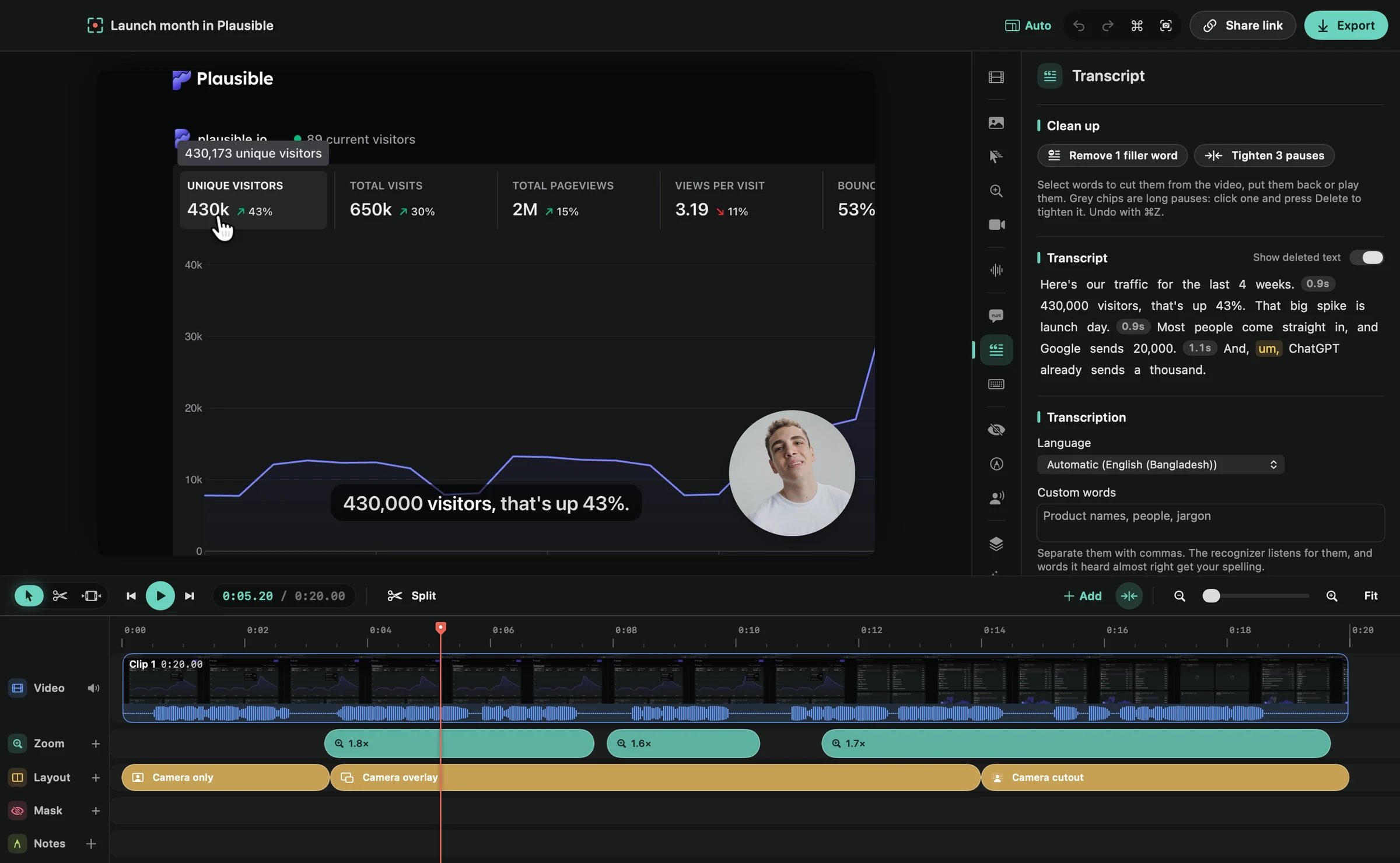
For a customer walkthrough, try a sequence with a menu, a form and a result screen. Check that the zoom does not hide the context your viewer needs. Then export the format you plan to use.
Features both apps advertise
| Feature | Framecast | Screen Charm |
|---|---|---|
| Platform | Native Mac app; macOS 14 or later | Mac app |
| Automatic zoom | Zooms around clicks and typing | Automatic click-based zooms |
| Cursor controls | Cursor adjustments and smoothing | Cursor smoothing, size and speed adjustments |
| Captions | Captions generated on your Mac | Captions listed by the vendor |
| Sharing | File export and share links; license required | 4K export and shareable links listed by the vendor |
| Payment terms | Recording and editing are free; export and sharing need a one-time license or a monthly plan | One-time purchase for up to 3 Macs, listed by the vendor |
Framecast lets you record and edit for free. You need a license for export and sharing. A one-time option is available, alongside a monthly plan. See pricing.
Start with the finished video
Watch the result at the size your audience will see it. Choose the app that helps you explain the task clearly. Download Framecast and see its editor workflow.
Sources: vendor documentation, Screen Charm: product page, read October 20, 2026. Framecast details from framecast.pro, pricing and the guide. We haven't run timed tests of either app; check each vendor's current terms before you decide.