Framecast vs ScreenFlow
ScreenFlow combines screen recording with video editing on the Mac. Framecast focuses on turning a screen walkthrough into a polished demo. The right choice depends on how much of the finished video you want to build yourself.
Free to record and edit · A license is needed to export and share · macOS 14 or later
Where ScreenFlow fits
ScreenFlow offers recording and timeline editing in one product. It is worth considering when your video combines a screen capture with other clips and a more involved edit. Review the current editor and export options against the kind of project you make. Explore ScreenFlow.
Where Framecast fits
Framecast plans zooms around your clicks and typing. It also lets you smooth the cursor, change the camera layout and cut spoken mistakes through a transcript. The goal is to spend less of your edit placing attention on small controls.
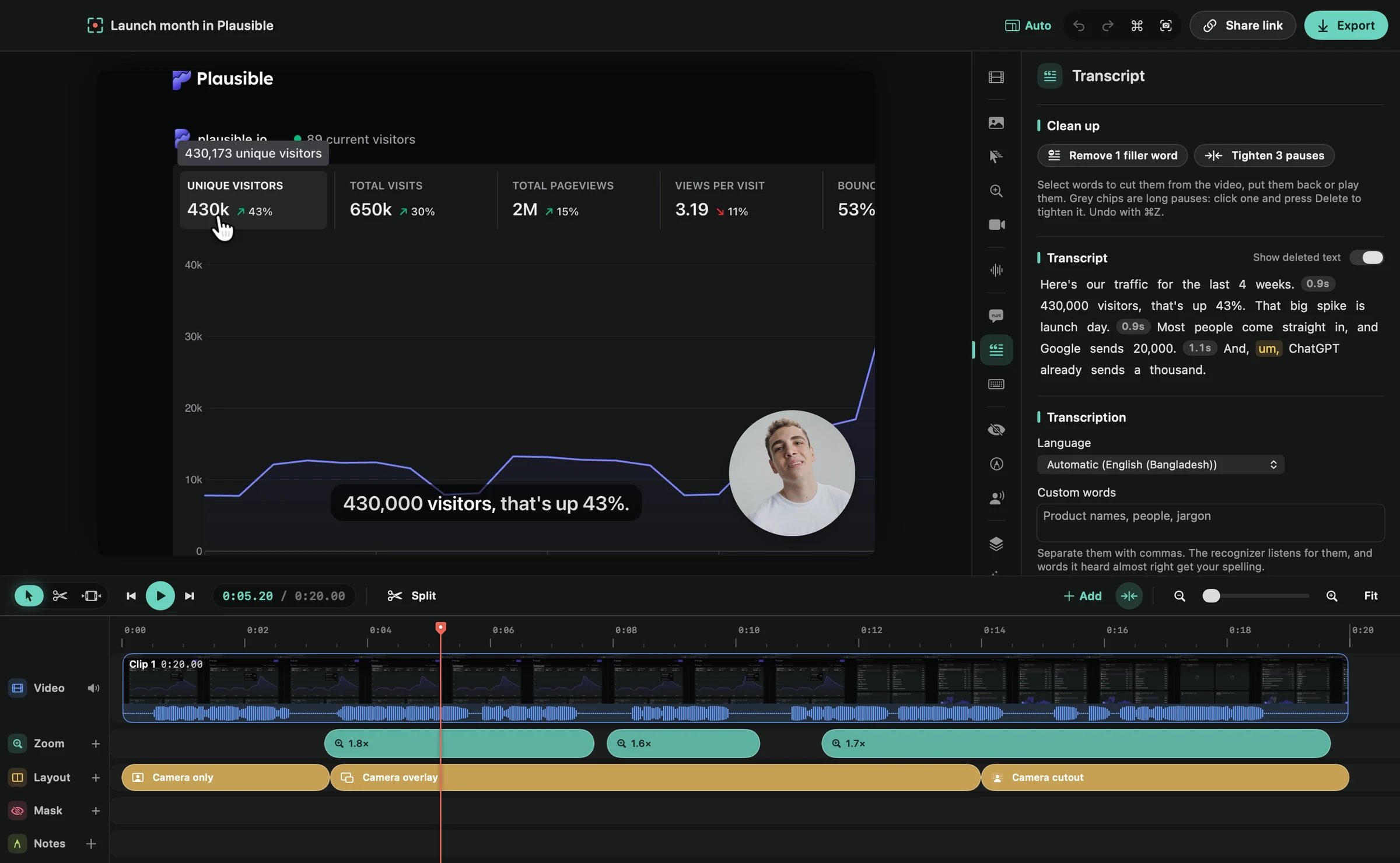
For a software walkthrough, try a task that moves between several parts of the screen. Watch whether the zooms follow the explanation. You can still adjust the result before exporting.
Recording and editing features
| Feature | Framecast | ScreenFlow |
|---|---|---|
| Platform | Native Mac app; macOS 14 or later | Mac app for Apple silicon and Intel; the store lists macOS Sequoia and Sonoma |
| Editing style | Automatic zooms, transcript cuts and camera layouts | Timeline editing of screen recordings and other clips |
| Captions | Captions generated on your Mac | Caption editor, with burned-in or soft subtitles |
| Free trial | Record and edit free; export and sharing need a license | Fully functional trial; exports are watermarked |
| Payment terms | Recording and editing are free; export and sharing need a one-time license or a monthly plan | One-time purchase; optional Stock Media Library subscription |
Framecast needs macOS 14 or later. Its record-and-edit trial is free, with a license required for export and sharing. A one-time license and an optional monthly plan are available. See current plans. Check ScreenFlow's current requirements and license before deciding.
Keep your publishing needs in view
Test the actual file format and destination you use. A good preview is only part of the job; the video also needs to reach your viewer. Download Framecast and read the export guide.
Sources: vendor documentation, ScreenFlow: overview, ScreenFlow: store, read October 20, 2026. Framecast details from framecast.pro, pricing and the guide. We haven't run timed tests of either app; check each vendor's current terms before you decide.