GuideZooms
Loupe
A round magnifying lens over one spot, while the rest of the screen stays where it is.
What it does
A Classic zoom moves the camera in, so one part of the screen fills the frame. A Loupe leaves the picture where it is and puts a round lens over one spot. Viewers see the detail and what’s around it at the same time. Your pointer is magnified inside the lens too.
Turn a zoom into a loupe
- Click a zoom on the Zoom lane, or add one with Z.
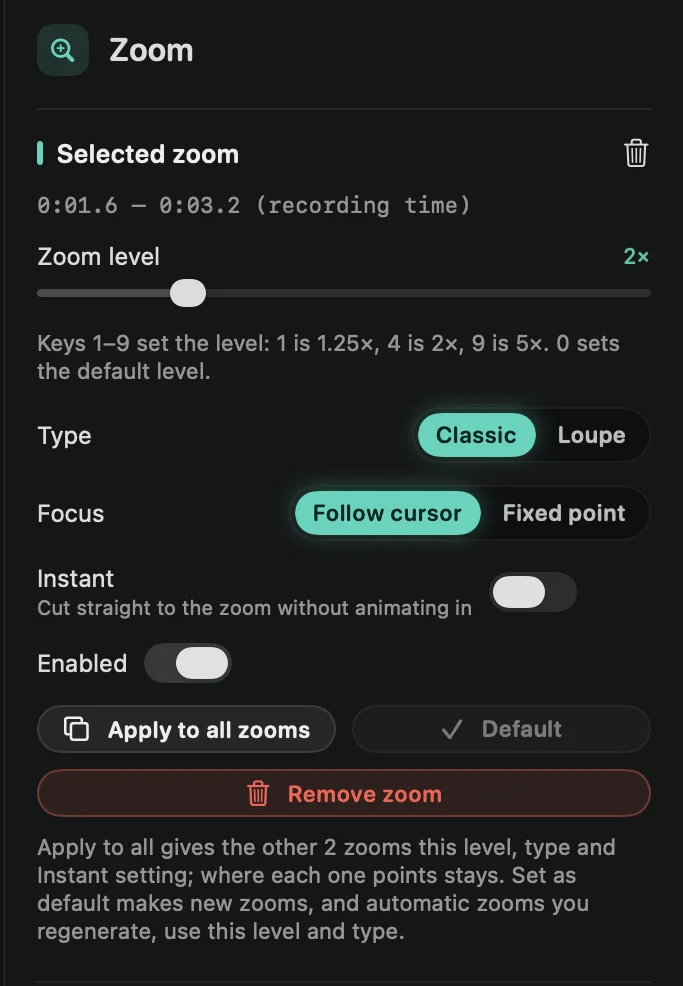
- In the Zoom tab, set Type to Loupe.
- Pick a Lens.
- Glass: sharp in the middle and bending toward the rim like a real lens, floating on a soft shadow.
- Flat: a plain magnifier circle with a white border.
Zoom level sets how strongly the lens magnifies. With Focus on Follow cursor, the lens moves with your pointer. With Fixed point, it stays on the spot you drag the target to. See Add and edit zooms.
You can also right-click a zoom and choose Type › Loupe. Loupes show a round icon on the timeline.
Make every zoom a loupe
In the Zoom tab, under Defaults, set New zoom type to Loupe. Zooms you add from then on are loupes, and so are automatic zooms after you click Regenerate.
Tip: Set as default on a loupe you like does the same in one click: new zooms get its zoom level and type.